
Setting up your Phone for the First Time
Assembling the Phone
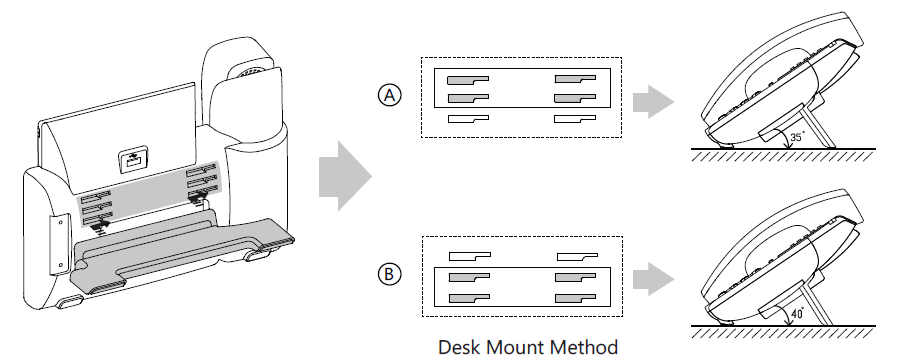
Attach the stand to the back of the phone.
Connect the Headset
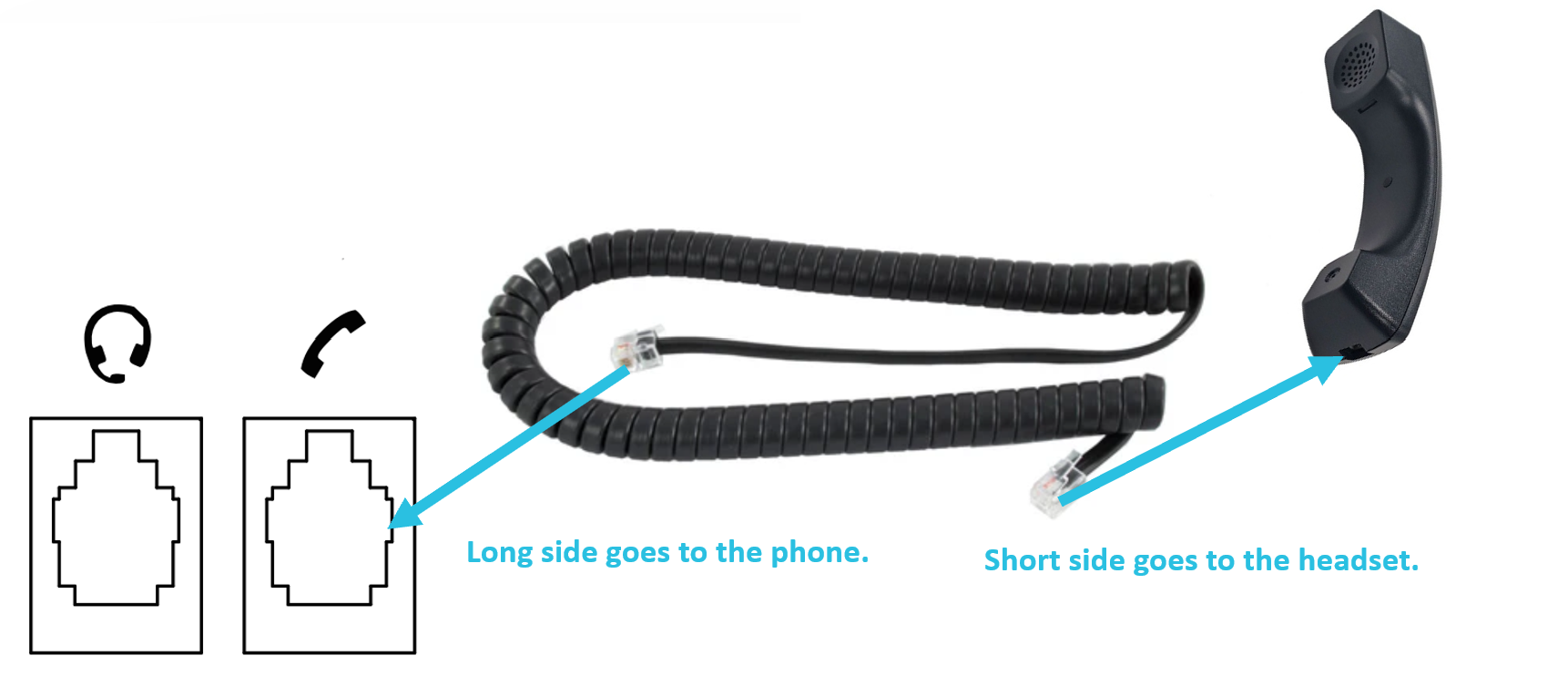
Plug in the short end of the cable to the headset and the long side to the phone.
To help keep the cable in place, insert the cable behind the cable management tabs.
Power and Connect the Phone
There are two ways to power up the phone.

AC/DC Power Adapter
Plug the power adapter into a power outlet and the circular end into the DC5V port.
POE (Power over Ethernet)
- Connect the ethernet cable to the Internet port of the phone
- Plug the other end of the cable into an available port of the PoE-capable switch.